
Location at a glance
Add a map thumbnail, address and GPS coordinates. Check what your phone reports in the live preview.
Turn a photo into a record of where and when. Capture photos and videos with a GPS map, address, coordinates and timestamp in one clear stamp.
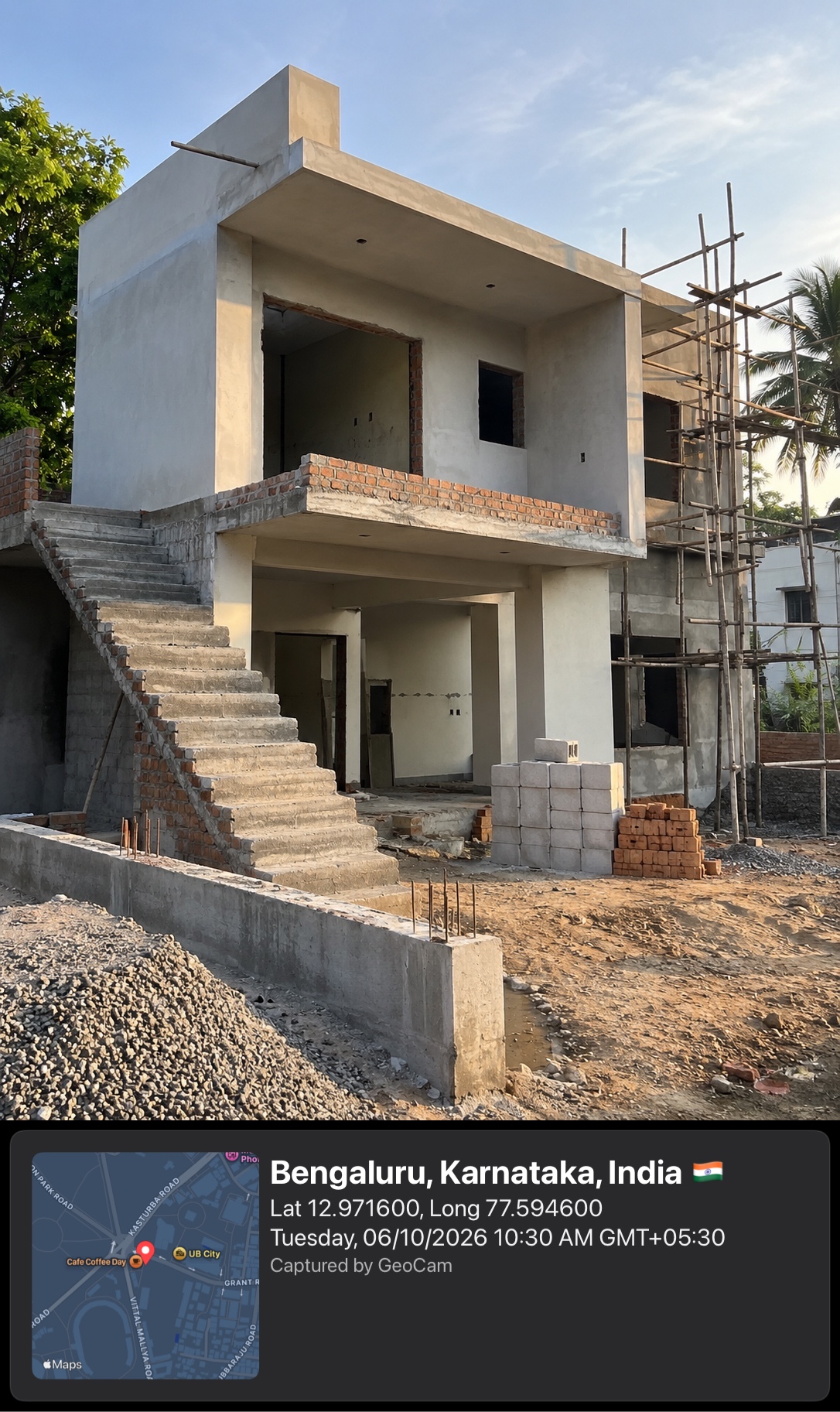
Tap the photo to inspect
More context. Less explaining.
See the map, address, coordinates and time before you take the shot.
GeoCam adds your chosen stamp below the picture, keeping the scene clear.
Keep the file in your phone’s library and share it with your team or friends.
Add a map thumbnail, address and GPS coordinates. Check what your phone reports in the live preview.
Keep date and time visible in the saved stamp. Choose a local time format or ISO 8601.
Document a moment or a walkthrough. The saved photo or video carries the stamp below the image.
Choose the layers you need and a dark, light or glass appearance. Add a note for the detail GPS can’t explain.
Choose your aspect ratio, resolution and timer. Keep attention on the shot instead of editing it later.
Browse your GeoCam album, filter photos and videos, and find captures by date.
Location accuracy depends on your device, permissions and surroundings. Map images and street addresses need an internet connection.
Use location-stamped photos wherever the place matters as much as the picture.
Record progress, materials and work areas with the location and date attached.
Capture an issue, add a note and make it easier to identify the place on a return visit.
Keep a visual record of the delivery location or a completed visit for your own documentation.
Keep the place and time with a favorite view, trail stop or day out.
GeoCam doesn’t require an account or upload your photos and videos to a GeoCam cloud. Saved files go to your phone’s photo library, where your device’s backup and sharing settings apply.
Read the privacy policyKeep photos and videos in your own library, with familiar sharing options.
Camera and location enable capture and stamps. The privacy policy explains map providers, advertising and data use.
GeoCam is free to download on the App Store and Google Play. The app contains ads.
Your chosen stamp can include a map, address, GPS coordinates, date and time, and a custom note. You can turn individual layers on or off.
GeoCam is a camera for capturing new photos and videos with location context. It doesn’t batch-stamp existing photos from your library.
Your phone can obtain a GPS location without mobile data, depending on settings and surroundings. Map images and street addresses need internet. Check the live preview to see what information is available.
Yes. The visible stamp is part of the saved image, so it stays in the picture when you share that file. Other apps may change or remove separate file metadata.
Download GeoCam and start capturing photos with the place and time attached.